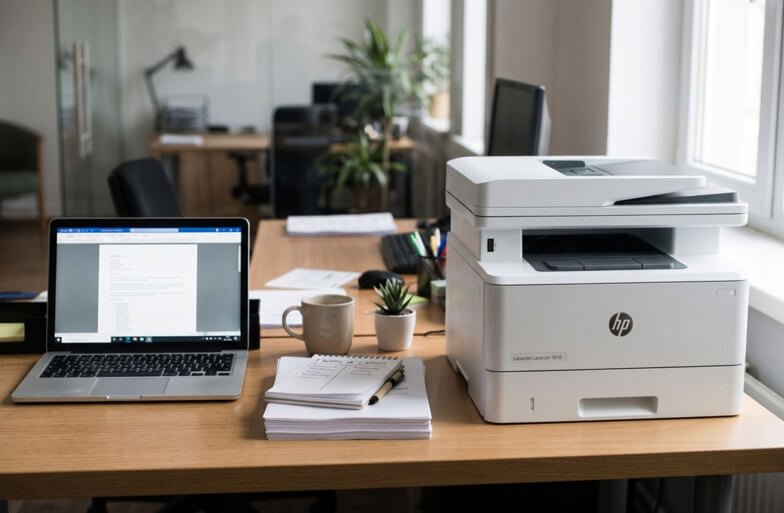
Running a small business means every purchase counts. A printer isn’t glamorous. But when it fails on the day you need invoices or a client contract, you notice it fast.
HP LaserJet printers are a popular pick for small offices, and for good reason. They print quickly, the text looks sharp, and they cope well with steady daily use. But “HP LaserJet” covers a lot of models. So the real question isn’t which one is best. It’s which one is best for you. Let’s figure that out.
Why Choose a Laser Printer for Business?
Compared with inkjet, a laser printer has a few clear advantages for office work:
- Fast printing. Good for busy days and big batches.
- Sharp text. Ideal for contracts, invoices and reports.
- Lower cost per page. Toner usually goes further than small ink cartridges.
- No drying out. Toner doesn’t clog if the printer sits idle over a long weekend.
If most of your printing is documents, a laser is hard to beat.
Start With Three Questions
Before you look at any model, ask yourself:
- How many pages do I print each month?
- Do I need colour, or is black and white enough?
- What else do I need it to do? Scan, copy, fax, or print from a phone?
Your answers narrow the field quickly.
Mono or Colour LaserJet?
Mono (black and white) is cheaper to buy and cheaper to run. If you mostly print invoices, letters and forms, it’s the smart choice.
Colour costs more upfront and more per page. But it’s worth it if you print brochures, proposals, charts or marketing material. Many small businesses start with mono and add a colour printer later if they need one.
Single-Function or All-in-One?
A single-function printer only prints. It’s simpler and often cheaper.
An all-in-one, often called an MFP, also scans and copies. Some include a fax and an automatic document feeder. For small offices, an all-in-one saves desk space and covers most needs. HP uses names like LaserJet Pro and LaserJet MFP for these ranges.
Features Worth Paying For
You don’t need everything. Focus on these:
- Automatic duplex. Prints on both sides and saves paper.
- Wi-Fi and Ethernet. Lets the whole team share one printer.
- Mobile printing. Handy if you work from your phone.
- Paper capacity. A bigger tray means fewer refills.
- Automatic document feeder. Useful if you scan or copy a lot.
Skip anything you won’t use. Extras add to the price.
Don’t Ignore Running Costs
Here’s where many people get caught. A cheap printer can be expensive to run. Before you buy, check:
- The price of replacement toner
- How many pages each cartridge prints
- Whether a high-yield cartridge exists for your model
- How easy it is to buy toner locally in the UAE
A printer is cheap for a day. Toner costs you for years. When you’ve picked a model, look up the matching toner for your HP LaserJet and work out the cost per page. You’ll be glad you did.
Think About Size and Workload
Match the printer to your workload. A very small printer pushed hard will wear out early. One that’s too big wastes money. As a rough guide:
- Solo or very small team: A compact mono LaserJet.
- Small office, steady printing: A mono LaserJet or MFP with duplex and network printing.
- Client-facing documents: A colour LaserJet.
Model ranges change, so check what HP currently offers and confirm the exact specs with your supplier.
Plan for Support
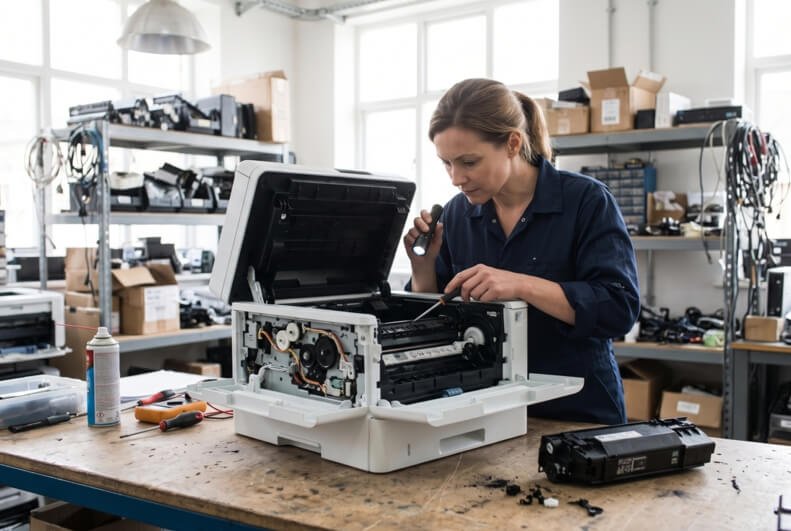
Every printer breaks eventually. Even good ones. So before you buy, think about what happens when it does. Is there local service? Are parts and toner easy to find? Can someone fix it quickly?
For a business, downtime costs real money. If your LaserJet starts jamming, printing streaks or throwing errors, a reliable HP LaserJet printer repair team in Dubai can usually find the fault and get you printing again. That’s often cheaper and faster than replacing the machine.
Mistakes to Avoid
- Buying on price alone
- Ignoring toner costs
- Paying for features you won’t use
- Choosing colour when you only print black text
- Buying a printer that’s too small for your workload
- Skipping a check of local supply and service
Keep Your LaserJet Healthy
- Print a few pages every week
- Use good-quality paper
- Keep it in a clean, dry, dust-free spot
- Replace toner when the first warning appears
- Update drivers and firmware now and then
- Handle cartridges by their handles
A little care keeps a LaserJet running for years.
When Should You Get Extra Help?
Ask a technician if:
- Paper jams keep returning
- Prints stay streaky after new toner
- Error messages won’t clear
- You hear grinding or clicking
- The printer shuts down by itself
Please don’t open the printer yourself. The fuser inside gets very hot, and small parts break easily.
Final Thoughts
The best HP LaserJet for your small business is the one that matches how you work. Pick mono if you print documents, colour if you print marketing. Choose an all-in-one if you scan and copy. Check toner costs before you buy. And make sure you can get supplies and support nearby. Get those right, and your printer will be one less thing to worry about.